


Real Piano
3.72.44K Reviews
App Specs
- Version
- 1.31
- Updated On
- License
- Free
- Downloads
- 100,000,000+
- Developer
- Bilkon
- Categories
- Music
- Platform
- Android
Screenshots
 Analysis by AppCompare
If you've ever dreamed of tickling the ivories but don't have a piano handy, let me introduce you to Real Piano. It's an app that's been a real game-changer for anyone itching to learn or play the piano without the hassle of owning a bulky instrument. I've been tinkering around with this app, and let me tell you, it’s like having a grand piano right in your pocket.
For me, the most useful way to think about this game is as a quick invitation to play: open it, put a finger on a key, and hear an immediate response. That first action is easy to understand, which matters when I only have a spare minute and don't want to work through menus before making a sound. The screen gives me a compact place to experiment, though a phone can never offer the physical feel or range of a real keyboard.
A typical use is a short musical pause during the day. I might tap out a melody I have in my head while waiting for someone, then stop without needing to set up an instrument or keep a practice space ready. That makes the app more appealing as a casual music game and portable piano than as a full substitute for lessons. If your aim is simply to explore notes or enjoy making a little noise, that distinction is a strength rather than a flaw.
Getting Started with Real Piano
First things first, downloading Real Piano is a breeze. Available on both Android and iOS, you can snag it from your respective app store, and boom! You're all set to dive into the world of music. The installation is quick, and the app doesn’t demand too much from your device’s storage, which is always a plus.
Bilkon makes this free music game, and its broad reach is easy to understand: it has over 100 million installs. It carries an Everyone age rating, while its average rating is 3.7 from around 260,000 ratings, with roughly 2,400 written reviews. Those figures suggest plenty of people have tried it, but I wouldn’t treat popularity as proof that a virtual keyboard will suit every player. The current version is 1.31, and it runs on Android 7.1 or later.
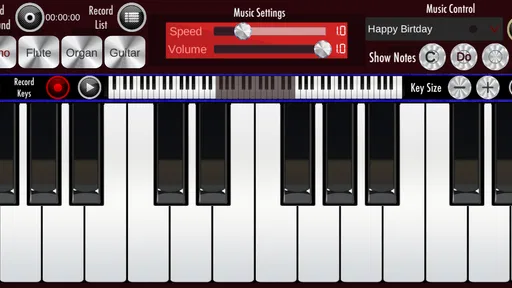
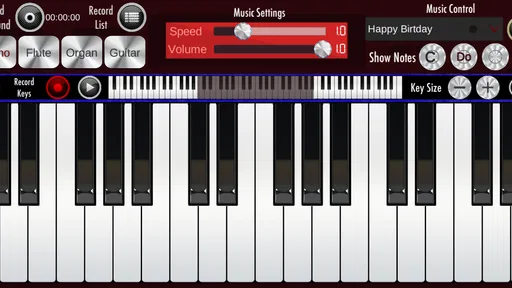
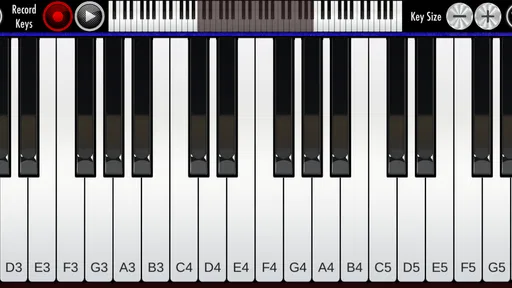
Once you fire it up, the interface is clean and intuitive. No overwhelming menus or confusing buttons here. Just a sleek design that makes it easy for anyone to start playing right away. It’s perfect for beginners and seasoned pianists alike. You’ve got your virtual keys spread out in front of you, and with a swipe or a tap, you can start making music.
The first practical choice is how you approach the keys. A phone-sized keyboard is handy for one-handed exploration and brief ideas, but it can feel cramped when you try to play passages that need several fingers. I find it more sensible to use a tablet, if one is available, for longer sessions and to keep the phone for quick experiments. This is a simple trade-off, not a hidden setting: more screen space gives your hands room, while the phone wins on convenience.
Worth Reading Before You Choose

Flipboard Shows What News Apps Must Do Beyond the Feed

Switching to Android Auto Means Rethinking Your Driving Routine

Google Calendar Makes a Crowded Week Easier to Manage

Ludo King Makes the Most of the Minutes Between Plans

Baby Panda World Brings Quick Play to Modern Phones, but Its Game Library Feels Busy

ESPN’s Live Game View Makes Following Close Games Easier
Features that Hit the Right Note
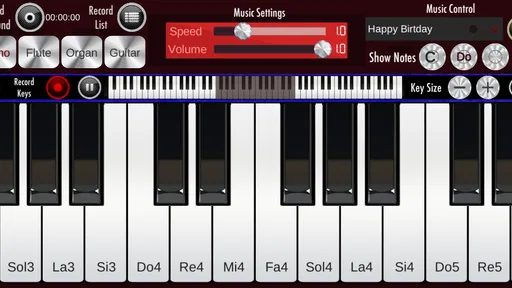
The range of features in Real Piano is pretty impressive. You can adjust the size of the keys, which is awesome if you have chunky fingers like mine or if you want a more authentic experience. The sound quality is also spot-on, capturing the rich tones of a real piano. It's got a selection of instruments too, so if you're feeling jazzy, you can switch to an organ or go classical with a harpsichord.
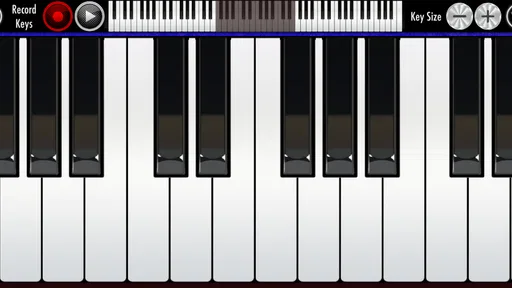
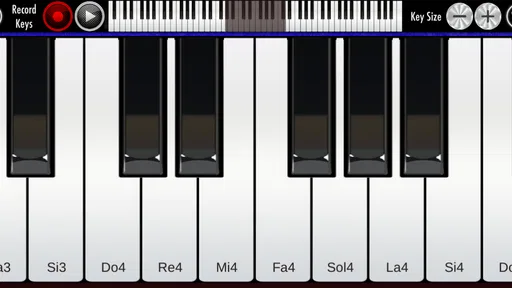
Changing key size has a practical effect beyond comfort. Narrower keys can make more of the keyboard visible at once, which helps when I want to test a wider melodic idea; larger keys make deliberate tapping easier and reduce accidental neighboring notes. I’d start with the size that lets me hit one key cleanly, then change it only when the music I want to try calls for a different balance between reach and accuracy.
The instrument choices also change the character of a small idea without requiring a different app. I like treating that as a comparison tool: play the same few notes on the piano sound, then try another available instrument and listen for which tone makes the phrase clearer or more playful. It is a low-pressure way to explore timbre, though it does not replace learning how a physical instrument responds to touch.
One of my favorite features is the built-in recording option. You can record your sessions and play them back, which is super handy for tracking your progress or just showing off your latest composition to friends. Plus, there’s a metronome to keep you in time, and various modes that help you learn to play songs step-by-step. It's like having a personal music teacher right there with you.
Recording is especially useful when a tune feels better under the fingers than it sounds in memory. I can capture a brief attempt, listen back, and notice whether the ending actually lands where I intended. A helpful routine is to record one version before changing anything, then make one adjustment—perhaps timing or a note choice—and record again. That keeps the playback focused on a specific question rather than turning it into an unstructured pile of takes.
The metronome serves a different purpose: it gives practice a steady reference, but it cannot decide what needs work. I would use it for a short passage after I know the notes, not as background noise while tapping randomly. If the rhythm becomes uncomfortable, slowing down mentally or choosing a simpler phrase is more useful than trying to force speed. The app can help me notice timing; patient repetition is still my responsibility.
Learning and Playing Made Easy
For newbies, Real Piano offers a fantastic learning mode. It provides guided lessons that take you through the basics and gradually introduce more complex pieces. The app includes a wide selection of sheet music, ranging from classical to pop, so you’re bound to find something you love. The interactive tutorials are really engaging, and they make learning fun and not at all daunting.
Guided song practice works best for me when I treat a lesson as a small task, not a promise of instant piano fluency. I focus on one short stretch, repeat it until the movement feels less awkward, and only then continue. That approach makes the step-by-step format more useful than simply tapping through a whole piece once. It also helps beginners tell the difference between recognizing a melody and being able to play it consistently.
The sheet music and tutorial approach may suit someone who enjoys learning by following a visual prompt. It is less compelling for a player who already reads music comfortably and wants detailed feedback on technique, hand posture, or expression. A phone screen can show where to go next, but it cannot correct the way a person holds their hands. For that kind of coaching, a teacher or a real keyboard paired with more focused instruction is the better choice.
And if you’re a pro looking to brush up on your skills, the app has you covered too. You can challenge yourself with harder pieces and even practice sight-reading. It’s this versatility that makes Real Piano a hit with both casual players and serious musicians.
I’d be more cautious about calling it a complete practice solution for advanced pianists. The screen is a touch surface, so it does not reproduce the weighted action, tactile spacing, or nuanced control of an acoustic or digital piano. It can still be useful for checking a musical thought away from an instrument, but serious technique work is better done on the kind of keyboard the player actually intends to master.
Why Real Piano Stands Out
What really sets Real Piano apart from other similar apps is the level of customization it offers. You can tailor the app to suit your playing style and preferences, whether that means adjusting the sound settings or choosing different keyboard layouts. The visuals are stunning too, with realistic animations that make it feel like you’re sitting at an actual piano.
Compared with a basic piano app that only puts keys on screen, the combination of adjustable keys, other instrument sounds, recording, a metronome, and guided song practice gives me more than one reason to return. Compared with a real keyboard, however, it is much less convincing as a tool for developing finger strength or precise dynamics. I see its strongest role between those options: more playful and structured than tapping random notes, but lighter and less physically authentic than dedicated equipment.
Moreover, the community aspect is a nice touch. You can connect with other users, share your recordings, and even collaborate on pieces. It's a great way to meet fellow music enthusiasts and get feedback on your playing.
For a useful everyday workflow, I would keep the goal modest: open the app, try a melody, record one take if I want to remember it, and listen once before closing. If a phrase seems worth developing, I can note the idea and return to it later on a larger keyboard or with sheet music. This avoids expecting a phone session to replace deliberate practice while still letting a fleeting musical idea become something I can revisit.
That routine also explains the app’s reset-and-return appeal. A session can end cleanly after a short experiment; there is no need to commit to a long practice block every time. The next session begins because I have a new tune to test, want to compare instrument sounds, or feel like repeating a guided section. If I need a structured curriculum, detailed performance analysis, or realistic piano mechanics, I would choose a more specialized alternative instead.
Final Thoughts
All in all, Real Piano is a fantastic app whether you're just starting out or you're a seasoned pianist looking for a portable option. The combination of high-quality sound, ease of use, and educational features makes it a must-have for anyone interested in music. So, if you’ve been wondering whether to give it a try, I’d say go for it! You might just discover a hidden talent or reignite your passion for playing.
My recommendation is strongest for curious beginners, casual players, and anyone who wants a low-friction way to explore melodies without owning a piano. It is also a reasonable option for a parent and child to try simple musical ideas together, provided the small touch keys feel comfortable on the device in use. I would skip it if the main goal is serious piano technique, realistic two-handed performance, or instruction that gives personal corrections. The free price makes trying it an easy decision, but the right expectations matter: treat it as a convenient place to play and experiment, not as a pocket-sized replacement for every part of piano learning.
Ready to dive into the world of music? You can find the download links for Real Piano on our site. Happy playing!
Pros
- User-friendly interface for easy navigation.
- High-quality sound enhances realism.
- Wide range of instruments available.
- Customizable settings for user preferences.
- Supports MIDI for advanced users.
Cons
- Ads can interrupt the music experience.
- Limited free features without subscription.
- Requires internet for some functionalities.
- Occasional lag on older devices.
- Interface can be cluttered for beginners.
FAQs for Real Piano
What features does Real Piano offer for beginners?
Real Piano provides an intuitive interface that includes a virtual keyboard with adjustable size, allowing beginners to learn at their own pace. It offers tutorials and lessons, along with a metronome and recording capabilities to track progress. The app also includes a variety of songs that users can practice with, making it ideal for newcomers.
Is Real Piano suitable for professional musicians?
Yes, Real Piano is designed to cater to all skill levels, including professional musicians. It offers advanced features such as MIDI support, multiple keyboard layouts, and a wide range of sounds. Professionals can use the app for composing, practicing, or even performing, thanks to its high-quality sound output and customization options.
Does Real Piano require an internet connection to function?
Real Piano can function offline, which is perfect for users who want to practice on the go without relying on an internet connection. However, some features, such as downloading new songs or accessing additional tutorials, may require internet access. It's recommended to check for updates regularly when connected to Wi-Fi.
Are there any in-app purchases in Real Piano?
Real Piano offers a free version with basic features, but it also includes in-app purchases. Users can buy additional content like song packs, advanced lessons, and premium sounds. While the free version is comprehensive enough for beginners, those looking for more extensive features might consider investing in these enhancements.
How does Real Piano support different languages?
Real Piano is designed to be accessible globally and supports multiple languages. Users can switch languages through the app's settings, ensuring that instructions, tutorials, and interface elements are available in their preferred language. This feature enhances usability and makes learning more convenient for non-English speakers.


